
MediQo AI Updates
Recent Released
Snippets
20 Mar 2026
Snippets can be used across multiple sections in MediQo, helping streamline documentation throughout the patient record. To set these up, simply navigate to Clinical Settings, select Snippets and click Add New to create a new text shortcut, or edit or delete any time as needed.
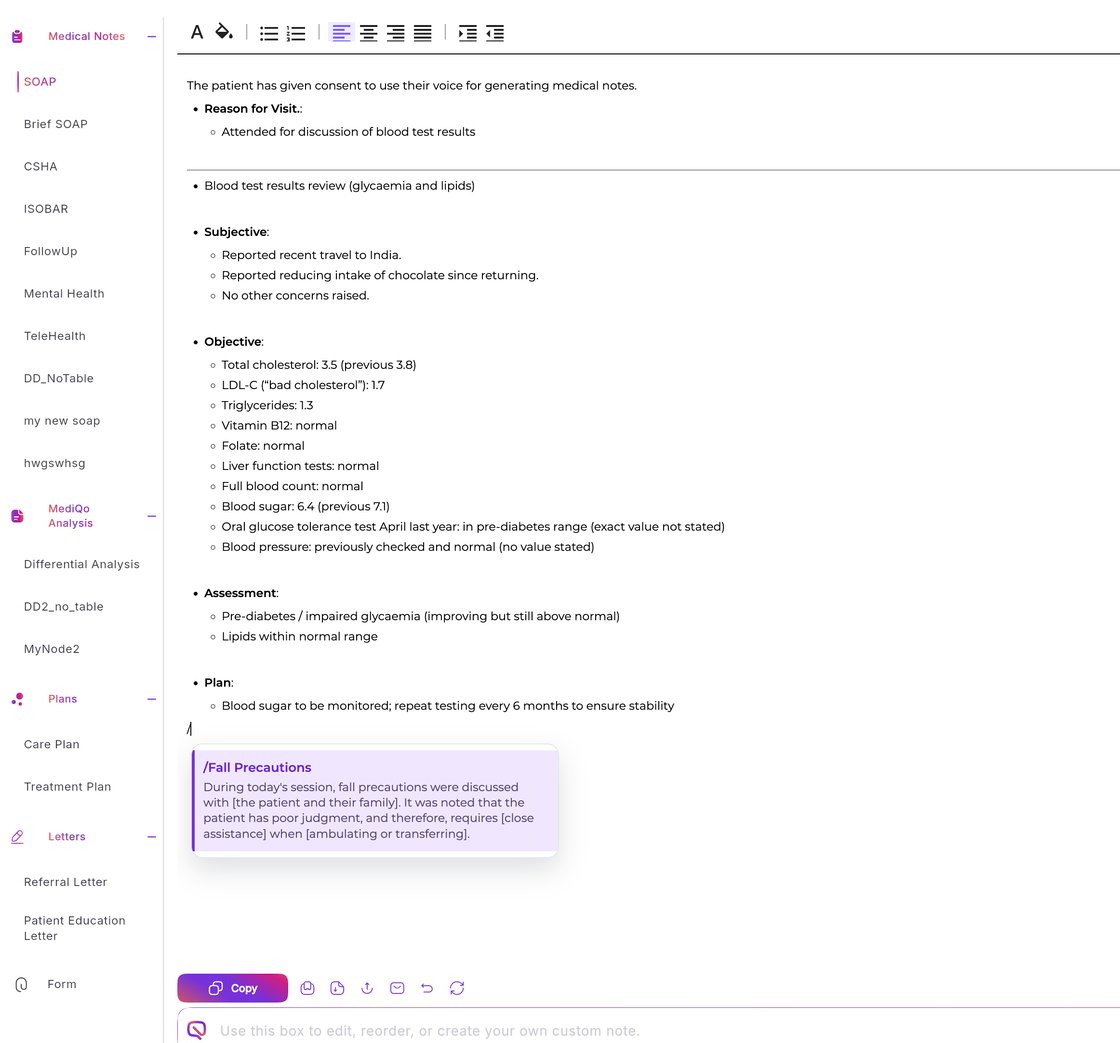
When you're ready, press / in note fields to activate the snippets menu and select the snippet you want to insert. The full text will instantly populate your note.

We’re excited to introduce a new feature in MediQo designed to help clinicians document faster and more consistently. Snippets work like keyboard shortcuts for your clinical notes. With a simple trigger word, you can instantly insert commonly used paragraphs or phrases, saving time while ensuring your notes remain detailed and consistent.
This feature has been rolled out across the entire MediQo ecosystem and is available to all accounts, including those on a free trial period.
How it works
Why clinics love this feature
With this update, MediQo helps you:
✔️ Replace short triggers with full text
Type a shortcut and automatically insert a full paragraph or structured note.
✔️ Speed up clinical documentation
Capture detailed notes in seconds without retyping the same information.
✔️ Improve consistency across records
Ensure common explanations, assessments, and instructions are documented the same way every time.
✔️ Reduce admin burden during consults
Spend less time typing and more time focusing on patients.
If you’d like to see it in action, you can book a quick demo here, or you can start a free trial any time.
Share





Share feedback