>Support
Search by topic, feature or keyword
MediQo’s AI-generated notes are fully editable and designed to support (not replace) your clinical judgement.
At any time during or after a consultation, you can click directly into the AI-generated document and edit the text as needed.
This includes:
Adding additional clinical detail
Clarifying wording
Adjusting tone or formatting
Removing irrelevant information
Refining assessment and plan sections
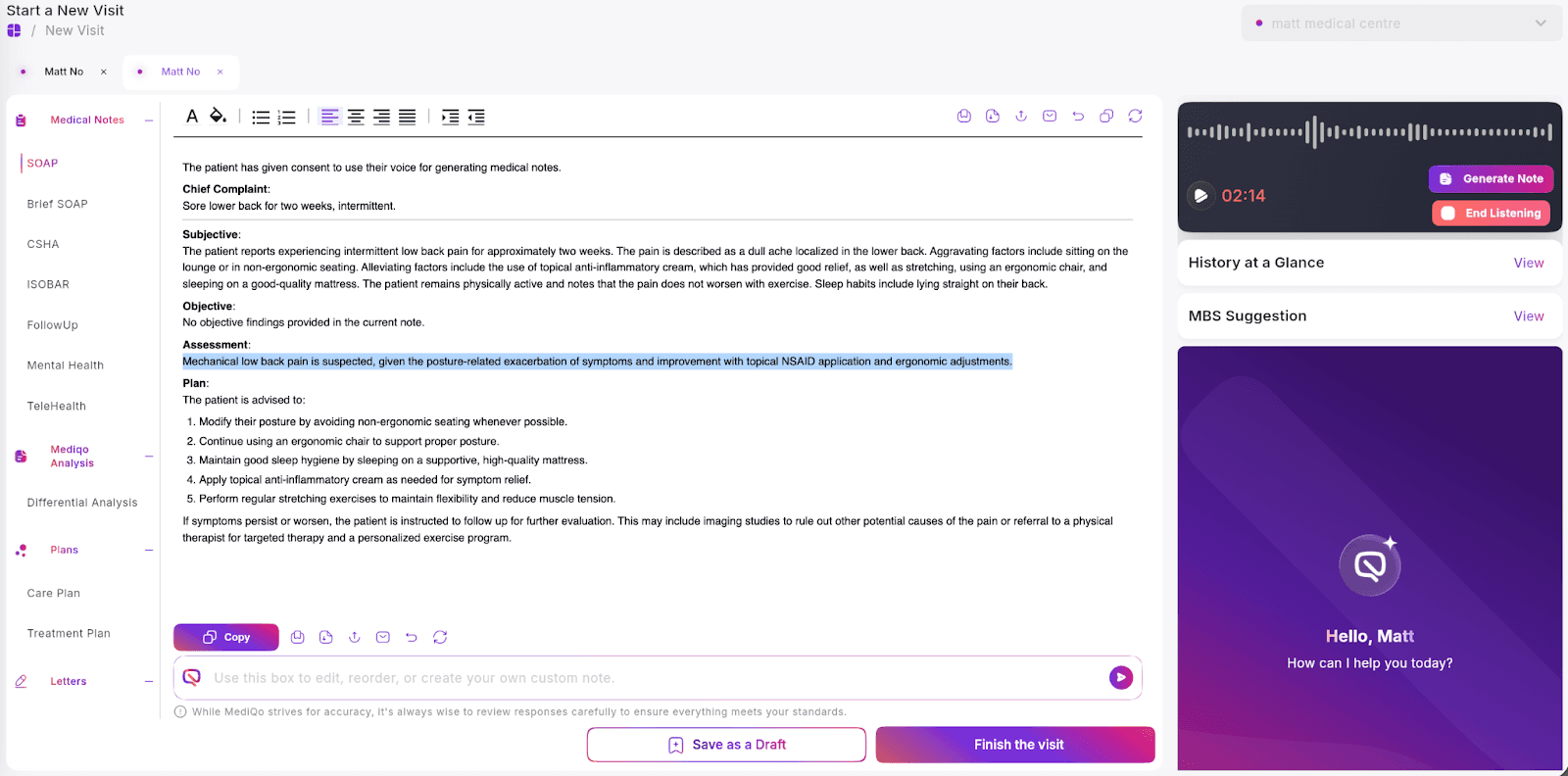
All changes are saved in real time and can be reviewed before exporting or syncing to your Practice Management System (PMS).
If you would like to refine the structure before editing manually, you can also enter instructions into the prompt box (for example: “Summarise the assessment more concisely” or “Expand on the management plan.”)
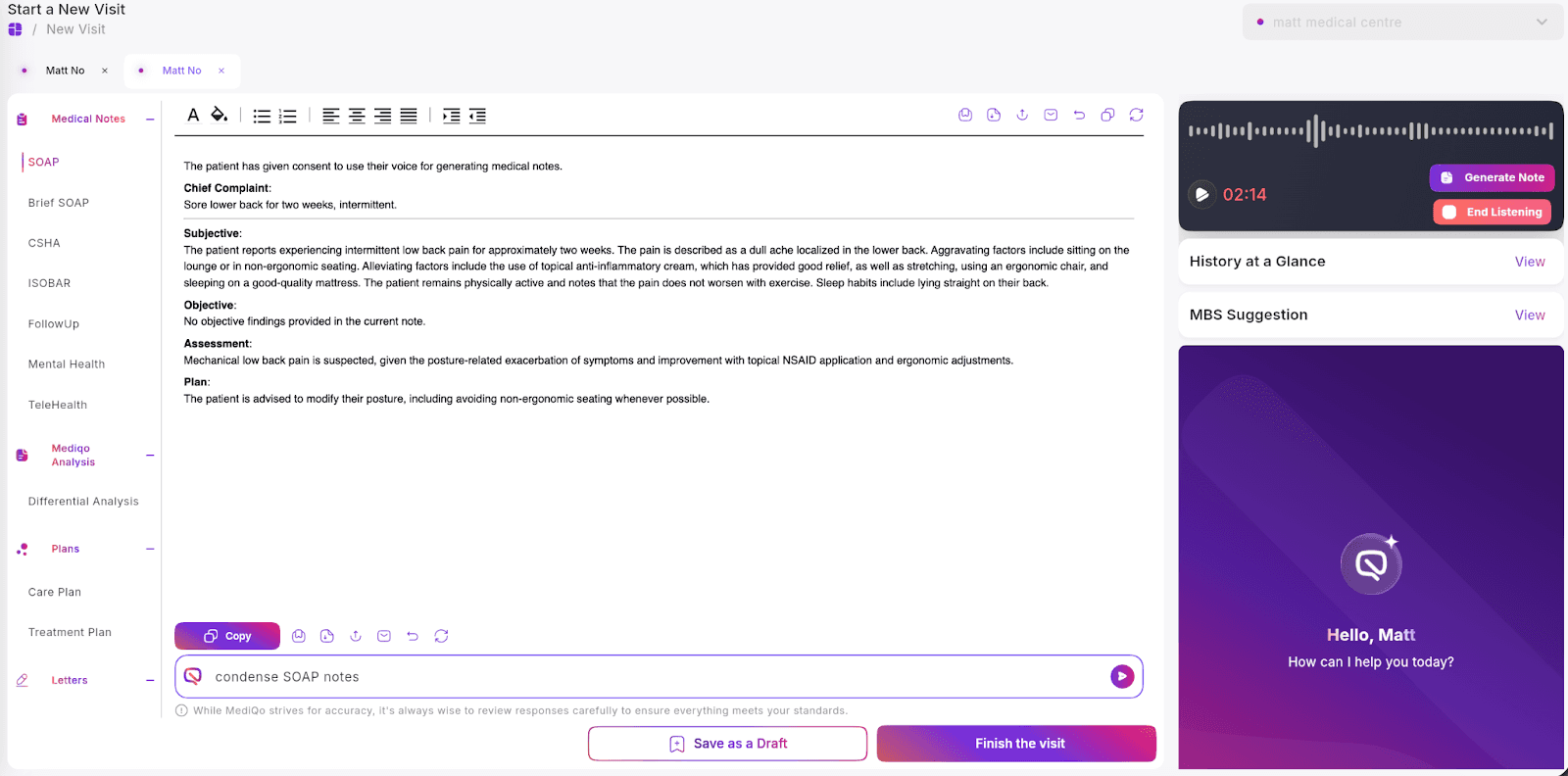
Remember: AI outputs are a draft to support efficiency. Final responsibility for clinical documentation always remains with the treating clinician.
If notes are consistently misaligned with your preferences, consider customising your templates.