>Support
Search by topic, feature or keyword
Two Ways to Start Your Visit
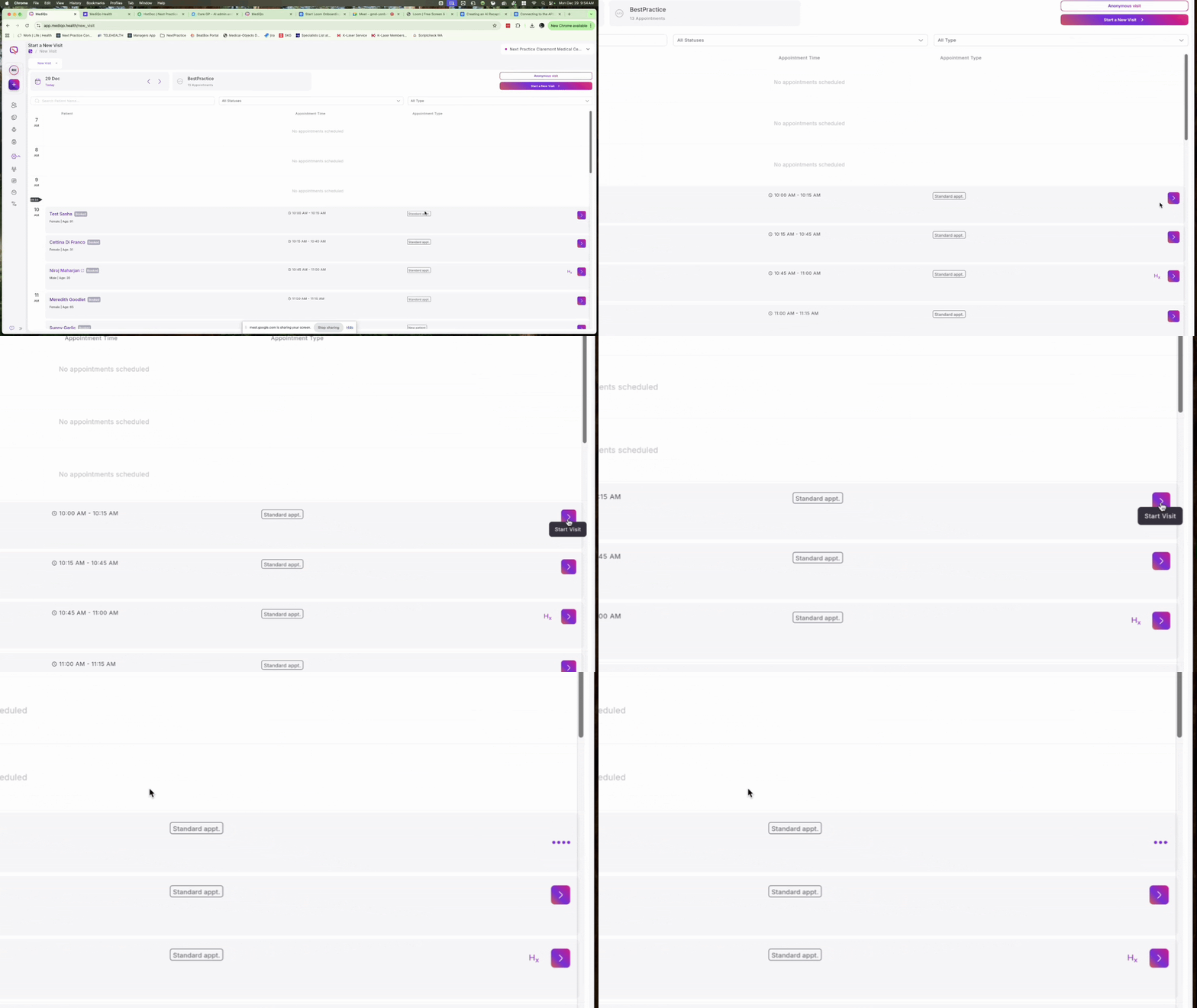
Option A: The Appointment Book Search * Click the Start a new visit button in the top right corner of the screen.
Search for the patient name, select the correct profile, and click Next.

Option B: The Quick-Start Menu
Click the Plus (+) button in the sidebar to browse your daily appointments.
Click the Start Visit icon on the right side of the specific patient row.
Select Appointment Type
Once you have selected a patient, you must define the consult medium.
Choose between Face-to-Face, Telehealth, or Phone.
Click Start a new visit to begin transcribing immediately, or choose Upload recording instead if you have pre-recorded audio.

Live AI and Multi-lingual Support
During the consult, you have full control over the session and the AI assistant.
Session Controls: You can Pause, Stop, or Restart the transcription at any time.
Language Detection: MediQo automatically detects multiple languages spoken during the consult but will always generate your clinical notes in English.
Live Note Generation: You don't have to wait for the consult to end. Within 1 minute, you can click Generate Notes to see documentation and AI tools while the patient is still with you.
