>Support
Search by topic, feature or keyword
Why switch to Direct Debit?
Many practices prefer direct debit because it simplifies ongoing subscription management.
Unlike credit cards, bank account details don't typically expire or require replacement, reducing the risk of failed payments and service interruptions.
Direct debit also removes the need to update payment information whenever cards are renewed, lost or replaced.
It's a simple, secure way to ensure your MediQo subscription continues without interruption.
How it works
Switching to direct debit only takes a minute.
Simply update your payment method within the MediQo Portal and nominate your preferred bank account.
Once you've set direct debit as your primary payment method, all future subscription payments will be processed automatically from your nominated account.
How to switch to Direct Debit
Follow these simple steps:
Step 1
Log in to your MediQo Portal.
Step 2
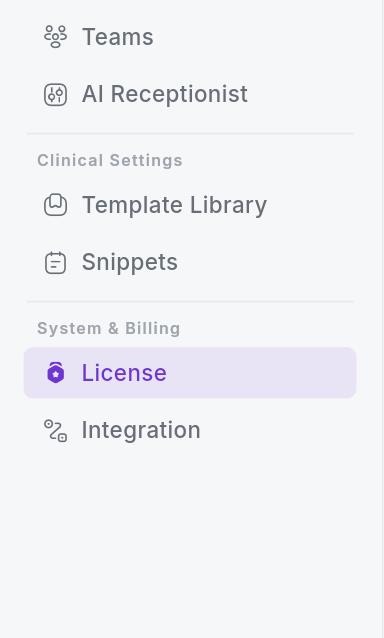
From the menu on the left-hand side, select Licence.
Step 3
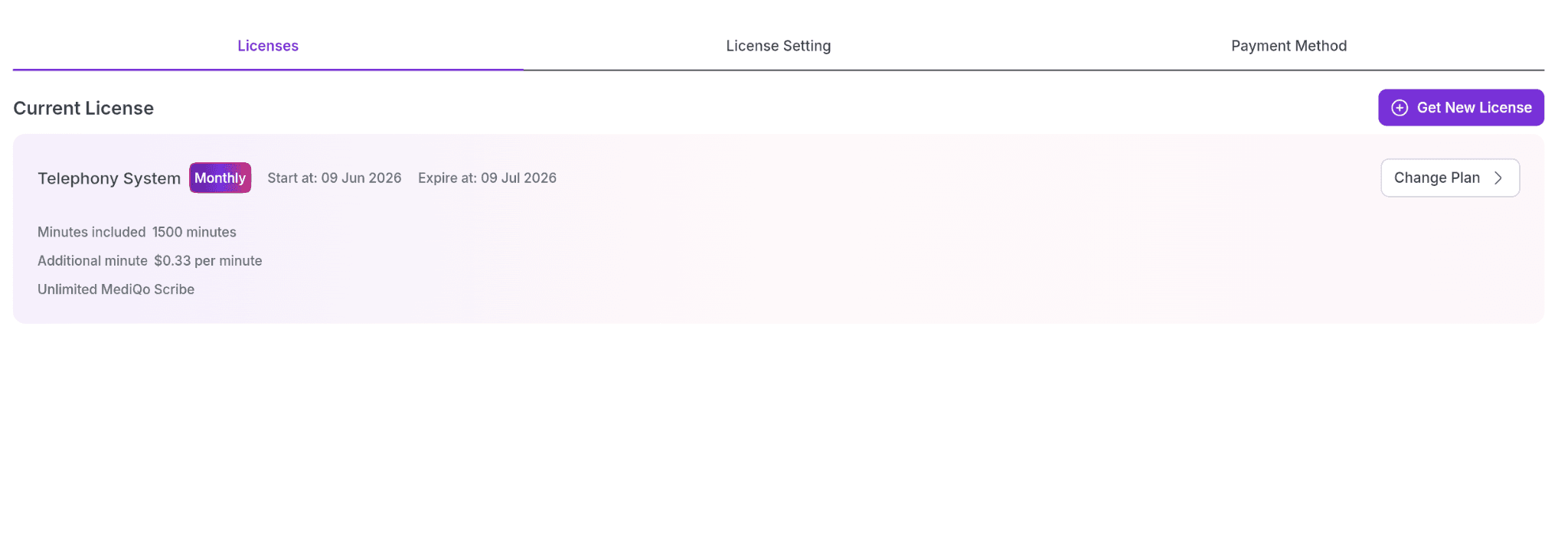
Open the Payment Method tab.
Step 4
Click Add Payment Method.

Step 5
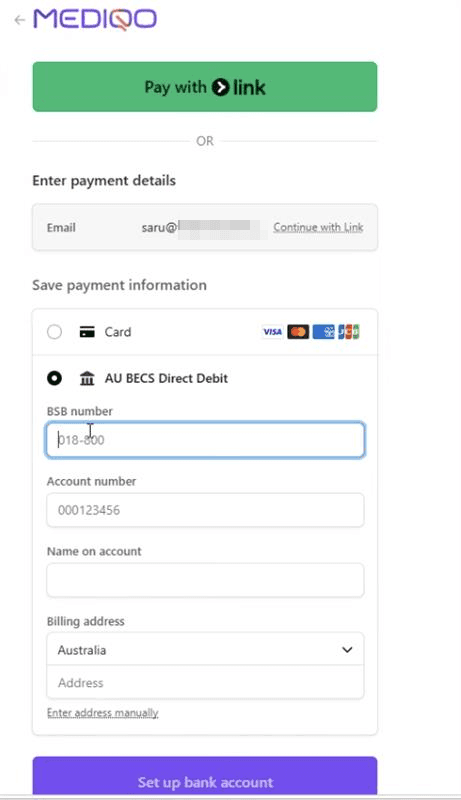
Select Direct Debit.
Enter your nominated bank account details.
Step 6
Review your details and confirm the new payment method.
Step 7
Once your bank account has been added successfully, select Make Primary Payment Method.
Your future MediQo subscription payments will now be processed via direct debit.
Why this matters
Keeping payment details up to date is easy to overlook.
When credit cards expire, are replaced or are cancelled, subscription payments can fail unexpectedly, potentially disrupting access to important software and services.
By switching to direct debit, practices can reduce this risk and simplify ongoing subscription management.
It provides peace of mind knowing your payment details are less likely to require updating over time.
Why practices love this feature
Switching to direct debit helps practices:
Simplify subscription management
Avoid updating payment details every time a credit card expires or is replaced.
Reduce failed payments
Bank account details typically remain unchanged, helping prevent interrupted payments.
Save administration time
Spend less time managing payment methods and more time focused on patient care.
Improve business continuity
Maintain uninterrupted access to your MediQo subscription.
Choose the payment method that suits your practice
Use either credit card or direct debit, depending on your organisation's preference.
MediQo tips
To ensure a smooth transition:
Double-check your bank account details before saving.
Remove any old payment methods if they are no longer required.
Don’t forget to set direct debit as your primary payment method after adding your details.
Frequently Asked Questions
Will my existing payment method be removed automatically?
No. After adding your bank account, you'll need to set direct debit as your primary payment method.
Can I switch back to a credit card later?
Yes. You can update your payment method at any time through the MediQo Portal.
Is my payment information secure?
Yes. Payment details are managed securely through MediQo's payment platform using industry-standard security practices.
How long does it take to switch?
Most customers complete the process in less than one minute.
Need help?
If you'd like assistance switching your subscription to direct debit, our team would be happy to help.
👉 Contact Support: https://mediqo.health/support
👉 Book a Success Session: https://calendly.com/mediqo-support/success