>Support
Search by topic, feature or keyword
MediQo makes it easy to adjust your subscription as your clinic’s needs evolve.
To change your plan:
Log in to your MediQo account
Select “License” from the left-hand menu.
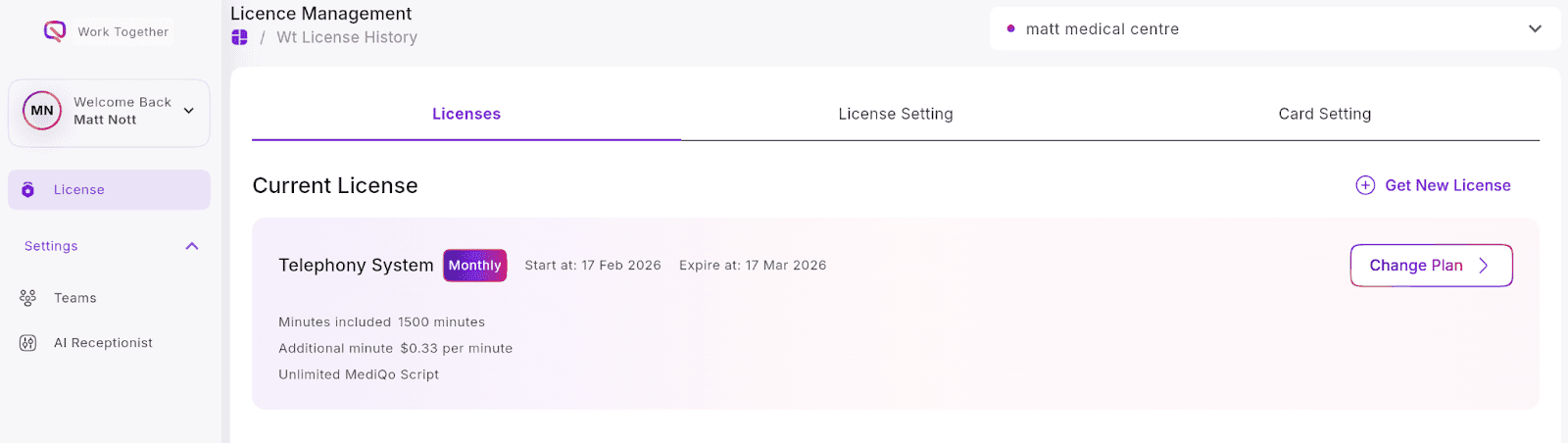
Click “Change Plan.”
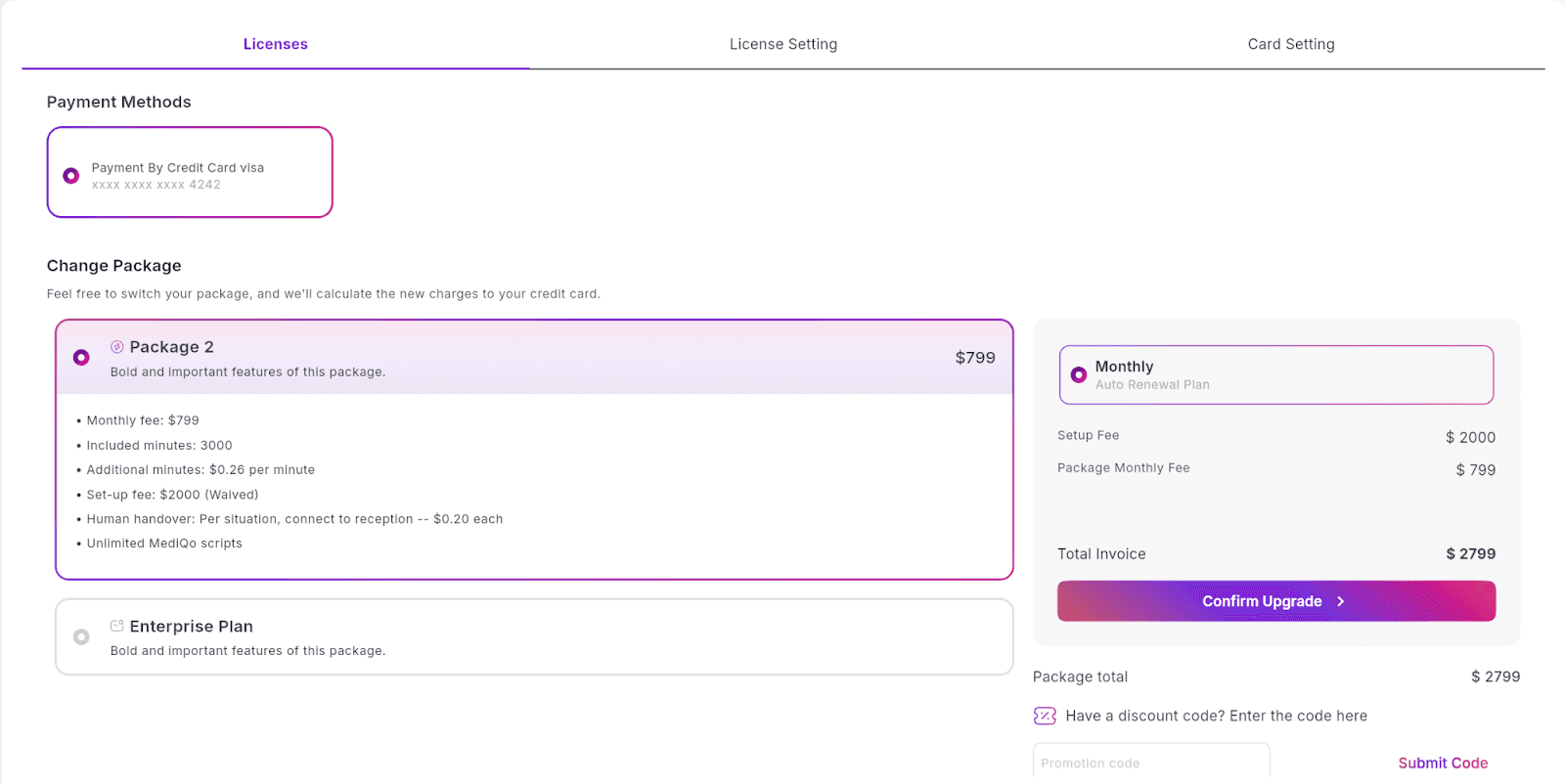
Review the available plan options and select the one that best suits your requirements.
Click “Confirm Upgrade” (or confirm your selected plan).
Your updated plan will take effect according to your billing cycle. If you require assistance choosing the right plan for your clinic, our team is happy to help.