>Support
Search by topic, feature or keyword
What is this feature?
Snippets are designed to help you document faster and more consistently by turning short trigger words into full paragraphs or structured notes.
Think of snippets as keyboard shortcuts for your clinical documentation. With a simple command, you can instantly insert commonly used phrases, saving time while maintaining high-quality, consistent records.
This feature is available across the entire MediQo ecosystem, including all free trial accounts.
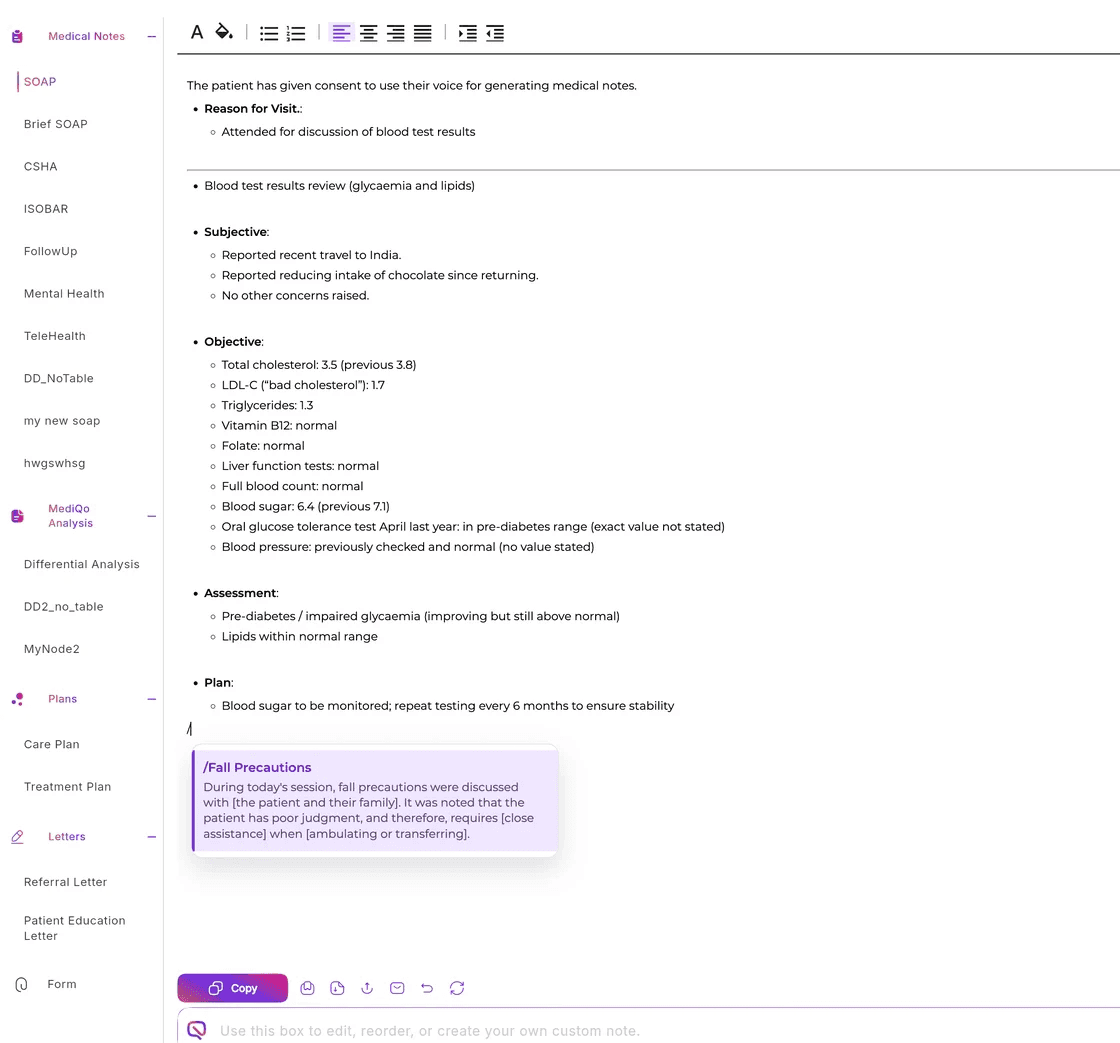
How it works
Snippets can be used across multiple note fields within MediQo to streamline your documentation.
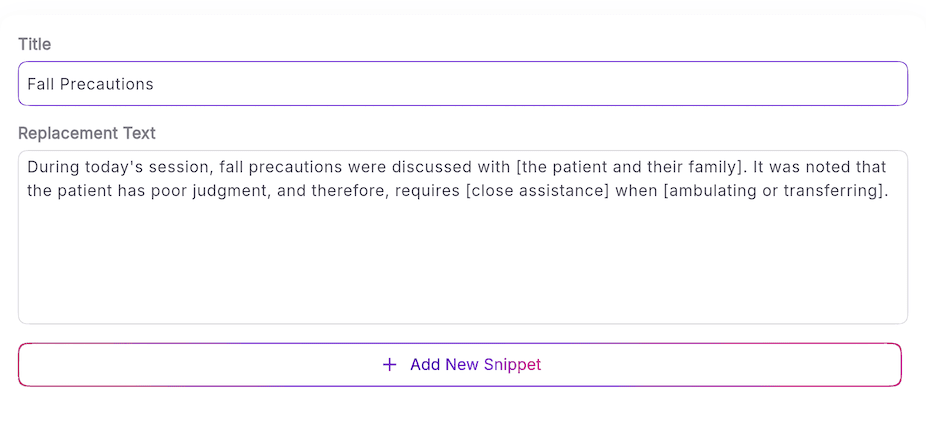
Setting up snippets
Navigate to Clinical Settings
Select Snippets
Click Add New
Create your shortcut (trigger word) and the full text you want it to insert
Save your snippet
You can edit or delete snippets at any time.
Using snippets during a consult
In any note field, type /
Select the snippet you want from the menu
The full text will instantly populate your note
This allows you to quickly insert structured content without retyping.
Why this matters
Clinical documentation often involves repeating the same explanations, instructions, and structured notes.
Snippets remove the need to retype this content — helping you maintain speed, consistency, and accuracy across every consult.
Why clinics love this feature
With snippets, MediQo helps you:
Replace short triggers with full text
Quickly insert detailed paragraphs or structured notes using simple shortcuts
Speed up clinical documentation
Capture high-quality notes in seconds
Improve consistency across records
Ensure common clinical language and instructions are standardised
Reduce admin during consultsSpend less time typing and more time focused on patients
How to use Snippets
To get the most value from snippets:
Create snippets for commonly used clinical phrases and instructions
Standardise language across your team for consistency
Use clear, recognisable trigger words
Regularly review and refine your snippets as workflows evolve
Example use cases
Snippets are particularly useful for:
Common diagnoses and assessments
Patient education and instructions
Referral summaries
Follow-up plans
Frequently used clinical phrases
Need help?
If you’d like help setting up snippets or optimising your documentation workflows, our team can assist.
👉 Contact Support (https://mediqo.health/support or book a session. (https://calendly.com/mediqo-support/success)