>Support
Search by topic, feature or keyword
What is this feature?
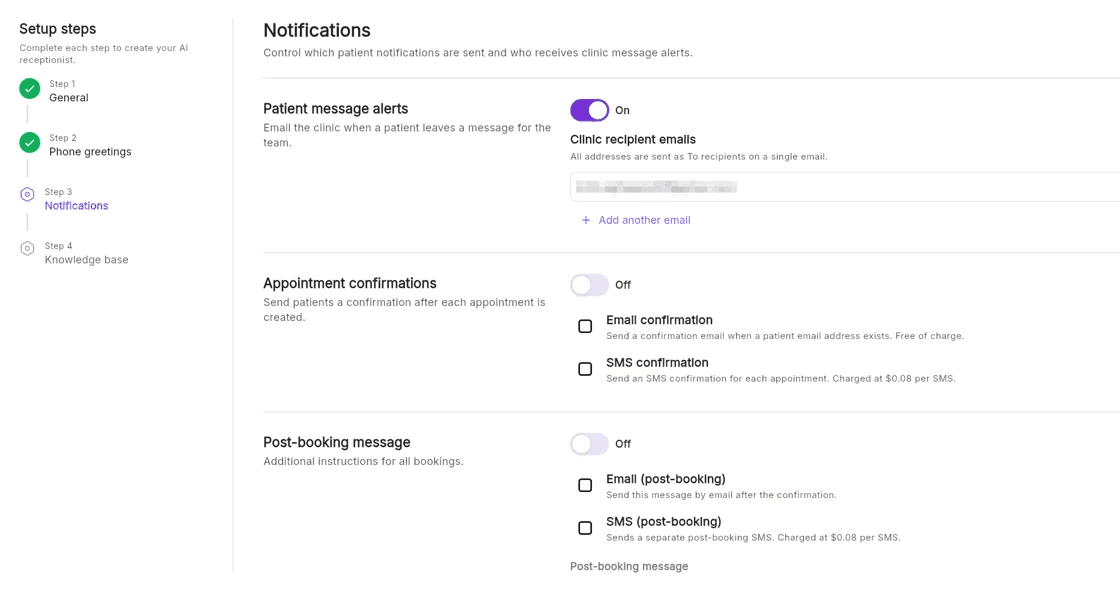
MediQo’s AI Receptionist can now automatically send email summaries of patient calls when:
The AI is unable to fully resolve an enquiry, or
A transfer to a human receptionist is not available
Each email includes a clear summary of the conversation, along with all relevant patient details and next steps — so your team can follow up quickly and confidently.
This feature is available across all MediQo accounts, including those on a free trial.
How it works
When a call cannot be completed:
The AI Receptionist captures the full conversation
It generates a structured summary of the patient’s request
The summary is automatically emailed to your clinic
Your team can review and follow up as needed
This ensures every interaction is documented and ready for action, without relying on voicemail or manual note-taking.
What’s included in the email
Each summary typically includes:
Patient name and contact details
Reason for calling
Key details discussed during the call
Any actions requested (e.g. booking, follow-up, questions)
Suggested next steps
All information is clearly structured to help your team respond efficiently.
Why clinics love this feature
This enhancement builds on MediQo’s AI Receptionist capabilities and ensures no patient enquiry is lost.
With this feature, MediQo helps you:
✔️ Capture and transcribe patient messages automatically
✔️ Receive call summaries instantly via email
✔️ Follow up faster with clear, structured information
✔️ Maintain a permanent, searchable record of patient communication
✔️ Reduce reliance on voicemail and missed call follow-ups
When this is most useful
After-hours calls where human receptionists are unavailable
Busy periods when calls cannot be transferred
Complex enquiries requiring human follow-up
Clinics looking to reduce missed opportunities and improve responsiveness
Setting this up
To get the most value from this feature:
Ensure the correct clinic email addresses are set up in your MediQo dashboard to receive notifications
Monitor incoming summaries regularly throughout the day
Action patient enquiries promptly to improve booking conversion and patient experience
Need help?
If you’d like to customise who receives these emails or optimise how your AI Receptionist handles enquiries, our team can help.
👉 Contact Support (https://mediqo.health/support or book a session. (https://calendly.com/mediqo-support/success)